
Speedtest by Ookla
Screenshots
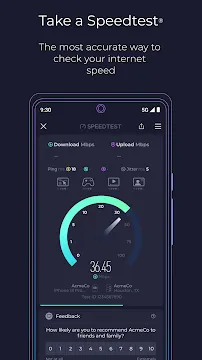
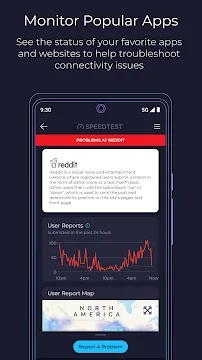
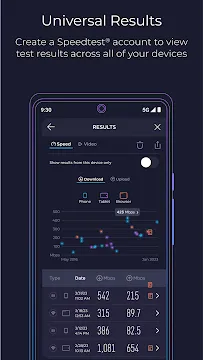
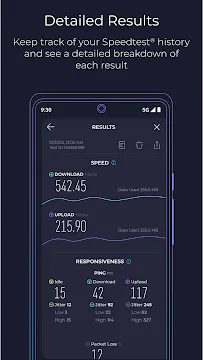
Speedtest by Ookla is the primary tool people use to measure internet performance worldwide. When your connection feels sluggish, this application provides an immediate answer. It calculates your download speeds, upload speeds, and ping with a single tap. Millions of users rely on it to verify the service levels promised by their internet providers. The interface is clean and accessible for everyone. You do not need technical expertise to understand the results. It provides a transparent view of how your network functions in real-time.
Understanding Speedtest by Ookla Metrics
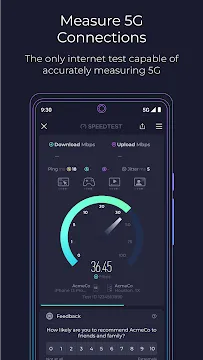
To get the most out of the app, you must understand what the numbers mean. The download speed represents how fast data travels from the internet to your device. This affects how quickly you can stream movies or download large files. On the other hand, upload speed measures how fast you send data to others. This is vital for video calls and posting content to social media.
Latency or “ping” is another critical metric. It measures the reaction time of your connection. Gamers especially care about low ping to avoid delays during play. Jitter measures the variation in ping over time. High jitter often causes choppy audio during voice calls. By monitoring these four factors, the app gives you a complete health report of your network.
Testing 5G Performance with Speedtest by Ookla
As cellular networks evolve, tracking 5G coverage becomes more important. This application includes specialized features to measure the true potential of high-speed mobile data. It identifies whether you are on a standard LTE connection or a genuine 5G signal. You can see how much faster your new phone actually performs compared to older models.
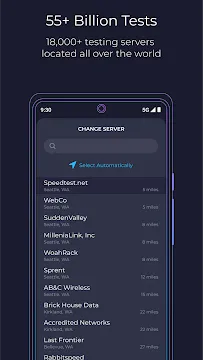
The app uses a global network of high-performance servers. This ensures that the server you test against is close to your physical location. Proximity reduces external interference in the results. Consequently, you receive a highly accurate reflection of your carrier’s performance. Many users run these tests in different locations to find the best spots for mobile data usage.
Troubleshooting Connections Using Speedtest by Ookla
Frequent disconnects can frustrate any mobile user. This tool helps you identify if the problem lies with your device or the service provider. If your results show high speeds but your apps fail to load, the issue might be your phone’s software. Conversely, low results across multiple tests suggest a network outage or throttling.
You can save your result history within the app. This allows you to track performance trends over several weeks. If you notice a consistent drop in quality, you have data to show your provider. Documentation makes it easier to demand a fix or a refund for poor service. It transforms a vague complaint into a factual report backed by evidence.
Exploring the Video Testing Feature
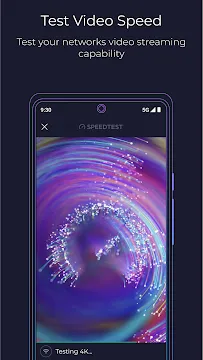
Many people use their mobile devices primarily for streaming high-definition content. A standard speed test might not tell the whole story for video. The application includes a dedicated video test that measures your current streaming quality. It plays a series of short video clips at different resolutions to find your limit.
This feature tells you exactly what resolution your connection supports without buffering. It assesses whether you can enjoy 4K content or if you should stick to 1080p. Knowing this helps you adjust your streaming app settings to save data. It also prevents the annoyance of a video stopping halfway through a crucial scene. It is a practical way to gauge the “real world” feel of your internet.
Analyzing Network Coverage Maps
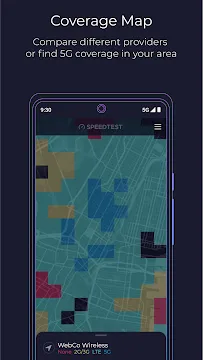
Finding a reliable signal in a new city can be difficult. The app provides detailed coverage maps based on real-world data from other users. You can see which carriers offer the strongest signal in specific neighborhoods. This transparency helps you decide which mobile provider to choose when your contract ends.
The maps distinguish between different generations of technology. You can filter for 4K video support or 5G availability. These maps update frequently to reflect changes in infrastructure. Instead of trusting a marketing brochure, you see what people actually experience on the ground. This community-driven data is incredibly valuable for frequent travelers or hikers.
Privacy and Settings Customization
User privacy is a common concern when using location-based apps. You can adjust your settings to control how much data you share with the platform. The app allows you to select specific servers manually if you want to test a connection to a different city. This is useful for professionals who work with remote servers.
Furthermore, you can change the units of measurement. Some prefer Megabytes per second while others use Megabits. You can also toggle the theme between light and dark modes to protect your eyes. These small customizations make the experience more comfortable. The app focuses on providing utility without unnecessary clutter or complex menus.
Conclusion
Reliable internet is a necessity for modern life and work. Speedtest by Ookla remains the most trusted way to keep your provider honest. It offers a suite of tools that go far beyond a simple speed gauge. From video testing to coverage maps, it empowers you with information. You no longer have to guess why your connection is slow. You can diagnose problems, compare carriers, and optimize your streaming habits easily. The app is fast, free, and incredibly accurate. Keeping it on your device ensures you are never in the dark about your digital environment. Download it today to take control of your network performance.